

Professional screenshot tools for every web user
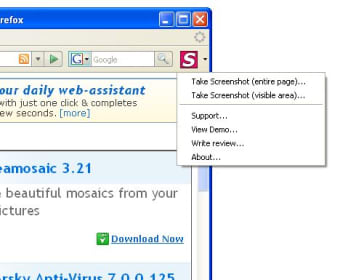
Finding a reliable way to capture long web pages can be frustrating. FireShot is a free add-on tool that simplifies this by offering a seamless way to grab everything from visible areas to entire scrolling pages. It is an essential tool for researchers and professionals alike.
Whether you are saving digital receipts or documenting complex design reviews, this extension provides the versatility needed for modern workflows. FireShot operates locally on your machine, ensuring that your sensitive data remains private and secure. This offline capability provides peace of mind that your screenshots stay under your control.
Advanced features
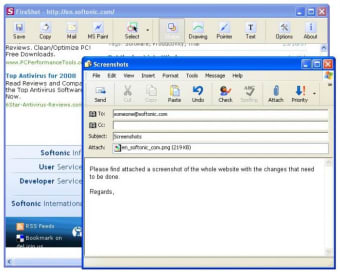
FireShot offers a notable feature called Capture All Tabs, which enables users to consolidate multiple open web pages into a single PDF. This functionality is particularly beneficial for archiving projects or organizing extensive research data. In addition to standard captures, the tool can export directly to platforms like Gmail, OneNote, and local storage, making it a versatile option for anyone in need of an efficient capture solution.
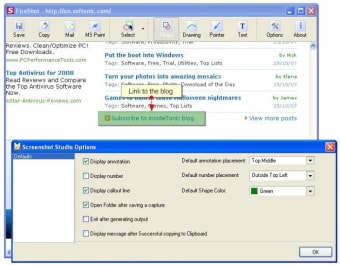
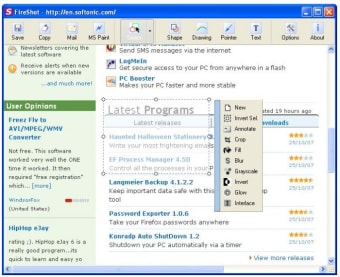
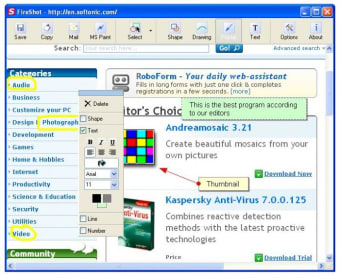
For those seeking enhanced capabilities, the Pro version presents an advanced built-in editor. Users can modify captures by cropping images, adding annotations, obscuring sensitive information, and incorporating metadata such as URLs and timestamps. This transforms a basic screenshot into a polished report, with the added benefit of splitting lengthy captures into standard PDF pages. This feature distinguishes it from conventional browser tools.
Despite its advantages, this Chrome add-on tool does have some drawbacks. The user interface may appear somewhat outdated compared to contemporary web applications, and many advanced automation features are reserved for the paid version. Additionally, while it performs well with most web pages, users may occasionally encounter stitching errors with complex, dynamic content in full-page mode. These issues, although infrequent, are important considerations for those who demand high accuracy in their captures.
Capturing web content
Overall, FireShot remains a top-tier extension for anyone needing to preserve web content in a clean, professional format. Its focus on privacy and local storage makes it a trustworthy companion for handling sensitive data. While the Pro version requires an investment, the time saved through batch processing and built-in editing tools makes it a worthwhile addition to your digital productivity toolkit for daily tasks.





.png)